How to add a sub brand logo masthead image
To add your sub brand logo as a header image, you’ll need to delete the Imperial logo – this avoids duplication of the core Imperial logo.
To remove the Imperial logo, known as the ‘masthead’, you will need to select the three lines in the top right corner of the content type and click on the trash can icon to delete.

Next, navigate to the ‘layout bar’ in the email editor, found on the left hand side of your email.
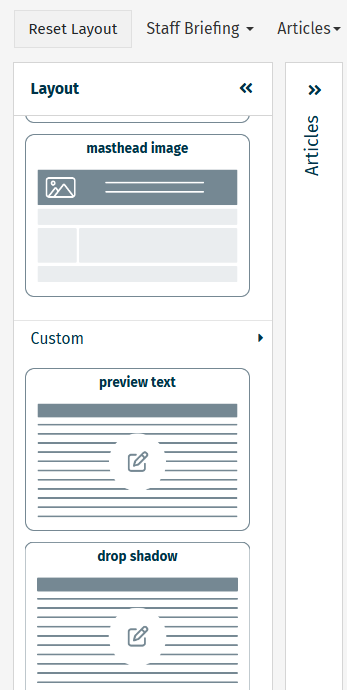
Select ‘header and footer’ and drag ‘masthead image’ to where the masthead was placed.
From there, you can upload your sub brand logo as an image. Please note that you must use alt text to convey all the text that appears in the image.
Visit the brand platform and use the search bar to find your sub brand logo.
Please note:
- When downloading the sub brand logo from the brand platform, you should download the png file that can be found in the panel on the right hand side of the page. Do not download the the jpg file for this purpose as it contains white space around the logo.
- You should use the black and white version of the logo.