Frequently Asked Questions
What is iCheck?
The College's iCheck audit system utilises "CHASE" software, produced by a company called HASTAM. The software can also be used for surveys and inspections, either centrally by the Safety Department or locally by faculties and departments. It helps the College (including the faculties and departments), comply with the requirement to verify its safety management arrangements.
How does it work?
The software is front-end loaded onto a user's machine upon request to the Safety Department who also arrange for the user to be added to a distribution list and given permissions on the system. Data is held on a College server, never on the user's machine, so it is very secure.
How many persons can use it? I sometimes get a message telling me to log back in later . . .
Up to ten persons at a time can be logged onto it. At some stage in the future, the software will be updated to a web-based version, so anyone with the appropriate permissions will be able to log onto it, with larger numbers of persons able to use the system simultaneously.
What is the information gathered by iCheck used for?
Primarily for planning and checking purposes, to make improvements to the department and College safety management systems.
The audit questions are based on the college safety management system (SMS) "the ICL Policy" and are designed to test how far a department has implemented it, and to enable the HoD to identify areas where implementation is incomplete and where they may need to focus. This is particularly important as the SMS is relatively new and implementation needs to be monitored. It can also supply a snapshot of a particular requirement across the entire College. It is also used to audit the College's success or failure to inform the departmnts of the SMS and to identify any gaps in the SMS itself.
Why do we have to do it?
It helps the College, including the HODs to plan and check and therefore comply with the College policy - which requires Departments to audit themselves. This is one of the means by which departments should implement this requirement.
Who will review the material and what happens as a result of it?
The College Safety Auditor reviews the material in the first instance and submits a report to the College Health and Safety Committee. This in turn submits a report to the College Audit Committee, which will in turn, be submitted to the College Management Committee. It may also be reviewed by the Faculty Principals and the data used to provide Faculty management with a snapshot of implementation progress across each department (benchmarking) to provide a progress report over a number of months or years. This should therefore assist the College, Faculty and HoDS with their planning.
Who checks the answers are correct?
The College Safety Auditor will review responses and departments may be selected at random for the purposes of obtaining verification.
Who else can see the material?
The Safety Officers, Faculty and Campus Safety Managers. Faculties will be given access to the software so that they can access this easily and compare across departments within their faculty, but departments cannot look at anyone else's data except their own.
How does this survey actually promote H&S at the local level?
It should help the HoD to identify and prioritise any areas of the SMS that still require implementation - and provide them with guidance towards this end.
Is this just a box-ticking exercise?
The first section of the ICL policy audit, is a 20 question set aimed at the HoD. This is key to the implementation of the SMS. Guidance on achieving this is also provided, so should help a HoD with their proactive planning and therefore speed up the implementation process. There are three months in which to complete the section.
How can I use it to do inspections?
The intention is for the software and relevant question sets to be downloaded onto a hand-held device. This currently at the development stage.
Are departments responsible for coordinating and conducting their own audits and inspections and what role does the Safety Department have?
- The departments are responsible for arranging both their own inspections and audits; they can invite members of the Safety Department to accompany them on inspections.
- The iCheck / CHASE software is the departments' own audit. The College Health Safety and Environment Committee will prompt certain sections of it, and then receive and review the data, but it is for the departments to act upon any adverse findings - and the same for inspections.
- The findings from both audits and inspections and progress on related actions, must be reported at the Departments' own H&S committees, and thence on upwards to the Faculties' management meetings and then to the College H&S (&E) committee.
- The requirements are outlined within the College Safety Management System (Planning & Implementation). Section 41 - the annual report, has been superseded by the HODs Safety Day, and by iCheck/CHASE.
What constitutes an audit as opposed to an inspection?
- An audit is a means to verify a system is a) in place b) effective - and to ascertain exactly what the gaps in the system are and their route causes. It can be conducted at department, College or external level. An audit could include inspection or areas and documents, discussion and observation of people.
- An inspection is a visual means to check the visible parts of systems are in place - and where possible to check they are working correctly (ie by looking at monitors and indicators). Typical inspections (even for office areas) might check the following: housekeeping standards, trip hazards are controlled, fire routes are clear, lights are in place and working, storage is sufficient and heavy items not stored above head height, wastes are not accumulating, electrical equipment has been tested. In laboratory /workshop areas, in addition to these, there would be activity-related elements (including those relating to policy/statutory requirements eg checking the following: PPE compliance; whether gas cylinders are secured correctly and regulators inspected, whether LEV is within its test period).
- Inspections can be conducted at department, College or external level (including by the Regulatory Authorities including the HSE and EA).
- In order to undertake a comprehensive, effective inspection of such areas, the person(s) inspecting would need to have the relevant competency (knowledge of the hazards and their controls as a minimum), and may require training in how to conduct and report on inspections.
- The Safety Department are in the process of putting together an inspection training programme for College staff, but this is not likely to start until October 2010 at the earliest.
I have had a new computer and can’t see iCHeck/CHASE on the desktop
Unfortunately, you almost certainly need to get it reinstalled. See below.
How do I get iCheck/CHASE installed onto my computer?
Provide your user name, computer location, IP address and asset number to Julia Cotton j.n.cotton@imperial.ac.uk, who will then add your name to the relevant distribution list and the list of users on the iCheck /CHASE software, and then arrange for ICT to install the software.
I have iCheck/CHASE ins talled on my computer but it won’t open even though I use my user logon and current password.
CHASE is not part of the single user login system, but a stand-alone software package, so please do not enter a password; if you still have problems, please contact j.n.cotton@imperial.ac.uk
I want to print off the completed question sets I have entered into iCheck for my HoD to sign.
Please click on attached powerpoint and follow instructions.
When I opened the question set, I could see that some of the questions had already been answered – I need to amend the answers – what do I do?
When you open a new, but recurrent audit question set (in other words a question set which was completed and subsequently closed in the past), you will receive historic data for those completed questions. This is so you can see what was written previously and amend accordingly. All you need to do is to overwrite the questions - either yes or no, and make explanatory comments in the Notes section if necessary.
If you experience problems doing this, it may be that you have not been given the correct user profile on the system - ie to answer questions. Please contact Julia Cotton in the Safety Department to arrange for this.
I would like further information - who do I contact?
The College Safety Auditor, Julia Cotton, on extension 41258 or j.n.cotton@imperial.ac.uk
My data hasn’t changed since the previous year. Do I need to do anything?
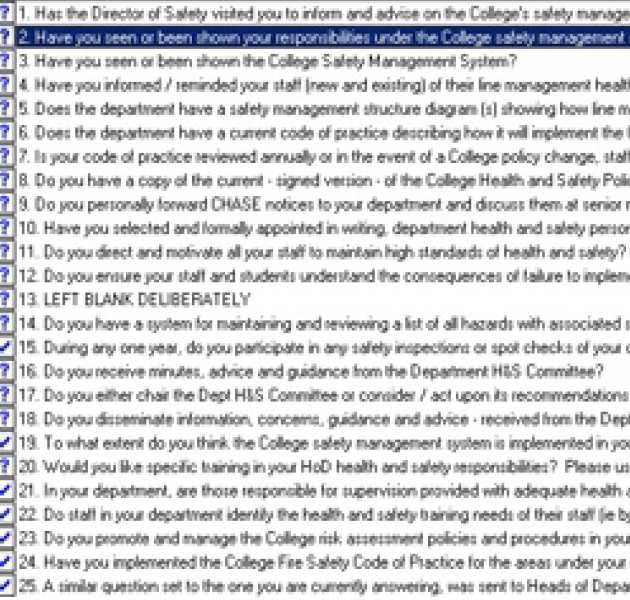
Yes you do, because where data has remained the same (ie yes for two year’s running), if you don’t actively re-enter the data, the answer will be displayed as a zero score – ie unanswered, so giving a false negative score. You will therefore need to click on the relevant answer (be it yes or no), until a tick appears in the left hand box instead of a question mark.