Ally works within your courses to provide accessible content in alternative formats that best suits your needs.
Alternative Formats
Ally automatically generates Alternative formats for course content and makes these available for students to download. This gives you the option to select the format that works best.
In some cases, content might not be available to download in Alternative formats. For example, this may be due to copyright issues or to cater for particular teaching and learning practices.
 Alternative formats are available in the same location that you access your course content. Access your course and select the Alternative Formats icon next to the content items or attached files in your course.
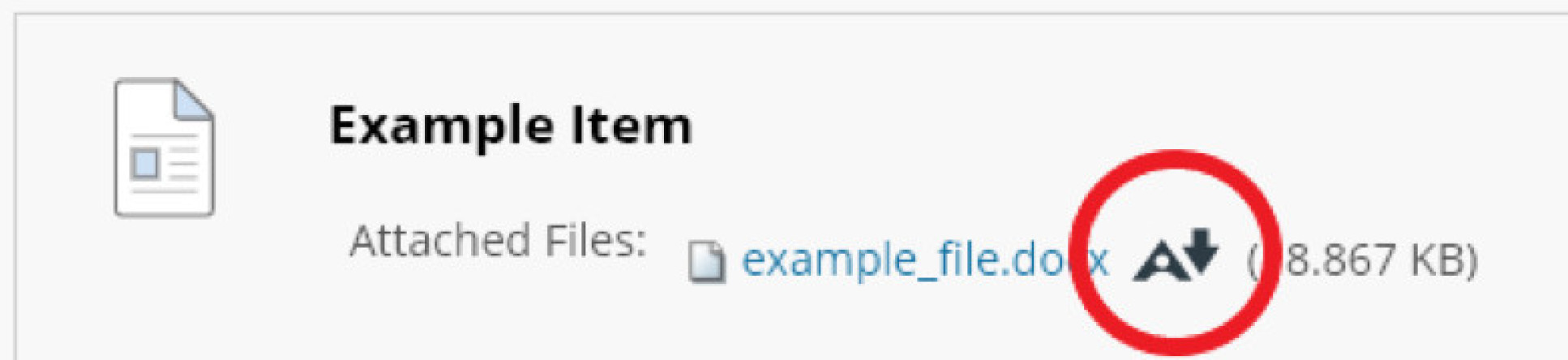
This will then display the alternative formats available to download. Select which format you require and click on download.
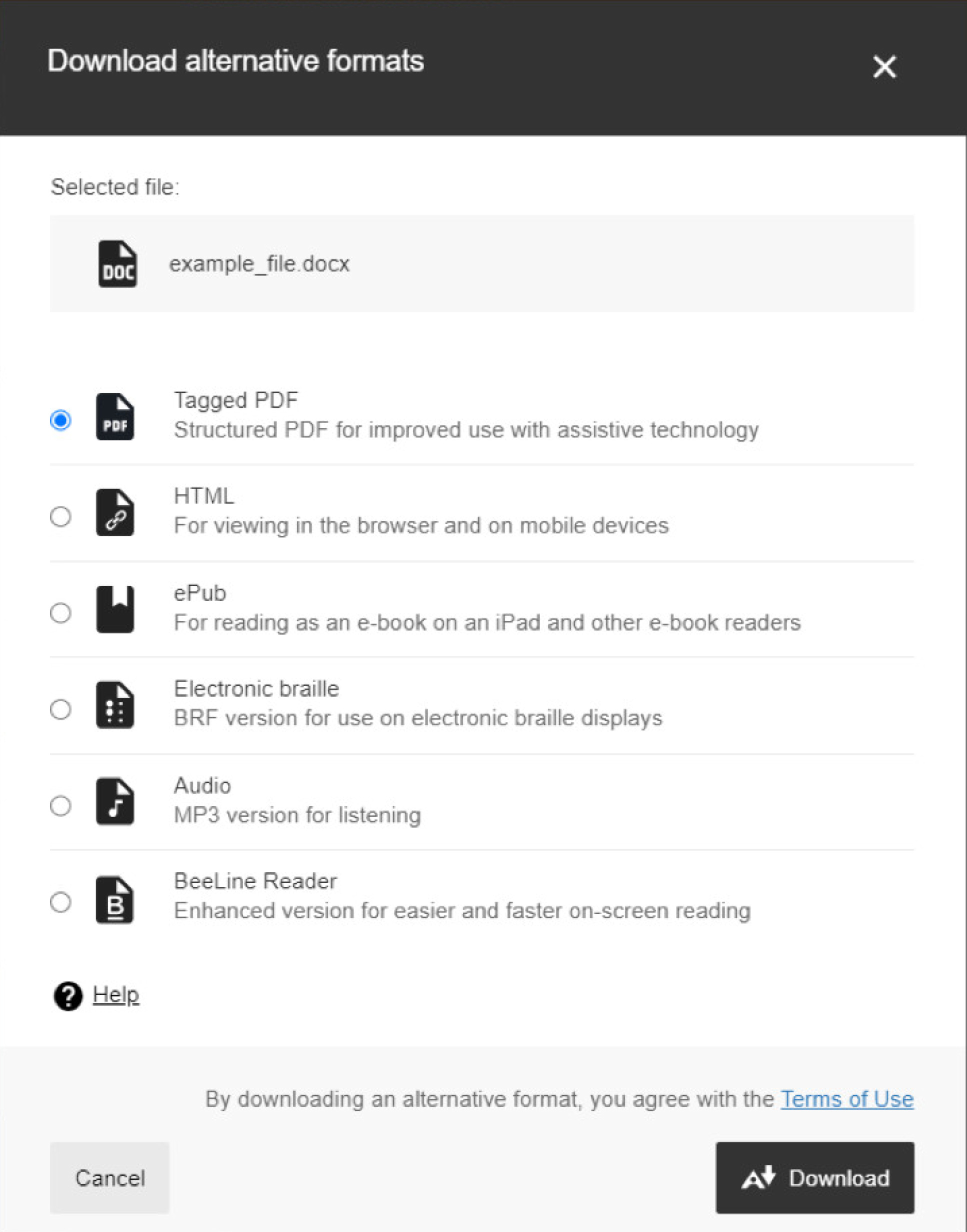
Alternative formats that are available from Ally include:
- NEW - Microsoft Immersive Reader
- OCRed PDF - Automatically extracted text version
- Tagged PDF - Structured PDF for assistive technology
- HTML – Specifically for viewing on a browser or mobile
- ePub – Designed to aid reading on tablets and e-book readers
- Electronic braille - BRF version for electronic braille displays
- Audio – an MP3 recording of the text in the file for listening on the go
- BeeLine Reader – Provides an enhanced version for faster reading
Visit the Ally help site for more information on alternative formats.
Further guidance
Please see the help site for more information on using Ally.